



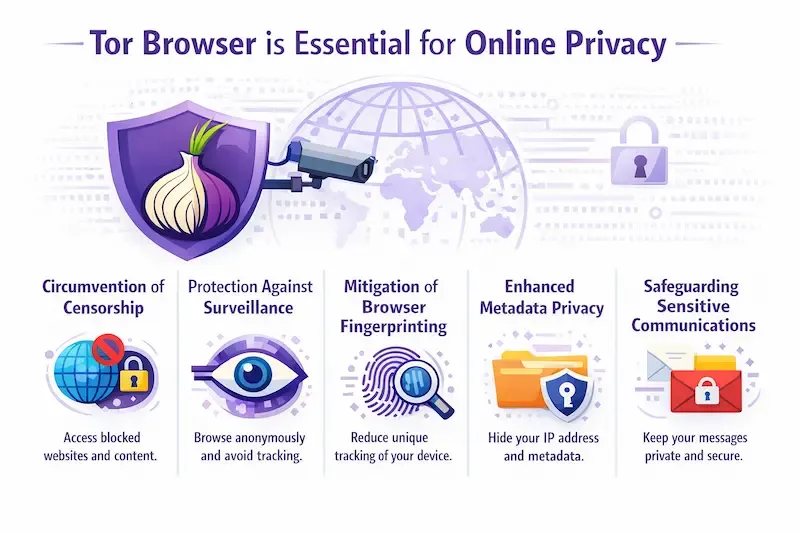
Can you be tracked on Tor? The honest answer is yes, but the reality is far more nuanced than the headlines suggest. While Tor remains the gold standard for resisting mass surveillance and bypassing censorship, it is not a magical invisibility cloak against sophisticated, targeted attacks. For the average user, Tor provides robust protection against data harvesting and ISP monitoring. However, for high-value targets, advanced tracking methods like traffic correlation and browser fingerprinting pose genuine risks. Understanding these methods—and the specific contexts in which they work—is crucial for accurately assessing your privacy. For a broader understanding of the legal and safety framework surrounding this technology, you can review the full analysis on Tor's legality and safety.
QUICK ANSWER
Yes, you can be tracked on Tor, primarily through user mistakes (OpSec failures) or sophisticated attacks like traffic correlation and browser fingerprinting. While Tor effectively hides your IP address from websites and ISPs, it cannot protect against malware or logging into personal accounts.
WHAT IS TRACKING ON TOR?
Tracking on Tor refers to the ability of an adversary to link a specific online activity or identity to a specific user, despite the network's encryption. On the regular web, tracking usually means tying an IP address to a browsing history. On Tor, because the IP is masked, tracking shifts toward identifying the device or the behavior rather than the connection.
It is critical to understand a core conceptual distinction here: Tor protects your network identity, not your device identity. This means that while Tor successfully hides where you are connecting from (your IP), it does not inherently change who your device claims to be. If your browser configuration leaks unique data, or if your operating system is compromised, the network encryption becomes irrelevant. It is important to distinguish between mass surveillance and targeted tracking. Tor is exceptionally strong against the former—marketers and local ISPs generally cannot see what you are doing. It is vulnerable to the latter—determined state-level actors or hackers using zero-day exploits. Tracking on Tor is rarely about "breaking" the encryption; it is about finding the data that leaks around it.
WHY THIS HAPPENS (STRUCTURED)
Why does tracking persist even on a network designed for anonymity? It usually comes down to the limitations of the technology versus the resources of the adversary.
Wrong habits
Users often link their anonymous activity to their real identity by logging into personal accounts or reusing usernames. No software can fix this human error.
Outdated tools/info
Users often rely on fear-based advice from years past. While threats are real, the Tor Browser has evolved significantly to harden defenses against common tracking scripts.
Misunderstanding system
Many users confuse "network anonymity" (hiding IP) with "application isolation." They fail to realize that the browser itself, if misconfigured, can reveal unique characteristics.
External limitations
Tor relies on volunteer infrastructure. If an adversary maintains visibility over key segments of the network infrastructure, statistical analysis becomes possible.
REAL 2026 TRACKING METHODS EXPLAINED
The following sections detail the specific methods used to track Tor users today. It is vital to understand that these methods often require specific conditions to succeed.
1. BROWSER FINGERPRINTING
Browser fingerprinting is the act of gathering information about your device to create a unique identifier. While Tor is hardened against this, it remains a primary vector for trackers.
How It Works
Websites run scripts that query your browser for data points: screen resolution, installed fonts, timezone, battery status, and audio stack. In a normal browser, this creates a highly unique profile.
Tor’s Active Hardening
Unlike standard browsers, Tor Browser aggressively mitigates this. It uses a technique called "letterboxing" to force your window into standard sizes, preventing screen resolution tracking. It also strips out specific font lists and makes every user appear to be running the same version of Firefox on the same operating system.
The Limitations
Tracking occurs when users break this uniformity. If you manually resize the window, install custom browser extensions, or change settings, you create a "fingerprint outlier." Trackers look for users who deviate from the standard Tor profile. If you look different from the crowd, you become trackable.
2. TRAFFIC CORRELATION ATTACKS
This is the most sophisticated tracking method. It does not attack the browser, but rather the network infrastructure itself.
Strategic Vantage Points
Tor routes traffic through three nodes. No single node knows both who you are and where you are going. A correlation attack requires an adversary to correlate the traffic entering the network with the traffic exiting it. This does not necessarily require global surveillance. It is possible if an adversary has control over entry-side networks and exit-side observation points, such as cooperating ISPs, specific autonomous systems, or compromised relays.
Statistical Analysis
By comparing the timing and volume of data entering the network and exiting it, an adversary can statistically match a user to a destination. If a 5MB packet enters at Point A and a 5MB packet leaves at Point B milliseconds later, they are likely the same communication.
Real-World Probability
While this is mathematically possible, it is resource-intensive. It is generally not used against average users. It is reserved for high-value targets. However, as data sharing between ISPs and government agencies increases, the feasibility of this attack model grows.
3. OPERATIONAL SECURITY (OPSEC) FAILURES
This is the most common way users are tracked. The technology works perfectly, but the user unknowingly identifies themselves.
Account Linking
If you use Tor to browse anonymously but log into your personal Gmail, corporate Slack, or bank account, you have voluntarily de-anonymized yourself. The service now knows that you are the user behind that specific Tor session.
Cross-Platform Context
If you access the same service on Tor (anonymous) and on your standard phone (identified) within a short timeframe, simple correlation algorithms can link the two sessions based on your writing style, access times, or specific interests.
Social Leakage
Trackers don't always need code. In forums or chatrooms accessible via Tor, users often reveal small details—their city, their job, their age. Aggregating these small "harmless" facts (doxing) can reveal a real-world identity without any technical hacking.
4. MALWARE AND EXPLOIT KITS
This is an aggressive, targeted form of tracking that bypasses the network entirely by compromising the device.
Zero-Day Exploits
Sophisticated attackers may use vulnerabilities in the Tor Browser or the underlying operating system (like Windows) to install malware. This is often done using "exploit kits" delivered through malicious ads or downloads.
Direct IP Leaks
Once malware is installed, it can bypass the Tor proxy settings entirely. It creates a direct connection to a command-and-control server, revealing your real IP address instantly. This is a direct attack on device identity, rendering the network protection of Tor useless.
Rarity and Targeting
It is crucial to note that these exploits are expensive and rare. They are not randomly sprayed at every Tor user; they are saved for specific, high-profile targets. For the average user, the risk of infection is low provided they do not download suspicious files or enable scripts.
5. COOKIE RE-IDENTIFICATION AND LOCAL STORAGE
Modern browsers use cookies and local storage to track users. Tor has specific defenses against this, but misunderstandings persist.
Tor’s Isolation Model
Tor Browser isolates cookies by "first-party" domain. This means a tracker on Site A cannot read the cookies left by Site B. Furthermore, when you close the browser, Tor is configured to wipe all cookies, cache, and session data by default.
The Persistence Myth
Older concerns about "Evercookies" or "Flash cookies" (Supercookies) are largely mitigated in modern Tor Browser because it does not support vulnerable plugins like Flash, and it aggressively clears storage directories.
The Risk
Tracking via cookies only works if you stay within the same browser session and do not toggle privacy settings. If a user disables these clearing mechanisms or alters the browser configuration, they risk persistent tracking. However, out of the box, Tor handles this vector very well.
ENTITY DEPTH RULE
To understand the tracking landscape, we must analyze the entities involved.
The Tor Network (Relays)
What it is: The decentralized infrastructure of volunteer servers. Why it matters: It is the primary defense against surveillance, protecting network identity. Who uses it: Privacy advocates, journalists, military. Strengths: No single point of failure; strong encryption. Limitations: Vulnerable to statistical correlation if entry/exit nodes are compromised or monitored. Beginner suitability: High. The network operates transparently, requiring no user configuration to function securely for general privacy needs.
The Tor Browser
What it is: The hardened web browser based on Firefox. Why it matters: It is the primary interface and defense against application-level tracking (device identity). Who uses it: Anyone needing privacy. Strengths: Built-in NoScript, HTTPS-Only mode, aggressive anti-fingerprinting. Limitations: Cannot protect against system-level malware or user error. Beginner suitability: High. Default settings are secure out of the box, provided users do not manually alter the security slider or install add-ons.
The Adversary (State-Level vs. Script Kiddie)
What it is: The entity attempting to track you. Why it matters: The capability of the adversary defines the risk. Who uses it: Governments, corporations, hackers. Strengths: Vast resources and legal power (for states). Limitations: Even sophisticated adversaries struggle against disciplined OpSec. Beginner suitability: N/A. While beginners are unlikely targets for high-level state correlation attacks, they should remain aware of the possibility.
HOW TO FIX / IMPROVE
You cannot eliminate all risk, but you can drastically reduce your trackability by understanding your threat model.
First: Foundation setup
Download the browser exclusively from the official Tor Project website. Upon installation, verify the Security Slider is set to "Standard" for usability, or "Safer" if you are concerned about scripts. Do not install additional plugins or add-ons, as these break the uniform fingerprint that Tor tries to project and compromise your device identity.
Next: Fix mistakes and habits
Adopt a "compartmentalization" mindset. Never mix identities. Do not log into your personal Facebook on Tor if you are also using it for sensitive research. If you must resize the window, use F11 for fullscreen, which hides the resolution rather than changing it. Treat every download as a potential biohazard.
Finally: Improve system/tools/strategy
For high-risk users (journalists, activists), stop using your standard operating system. Tools like Tails OS or Whonix are among the strongest options available. Tails is a live operating system that runs from a USB stick, while Whonix isolates the Tor workstation inside a virtual machine. Both force all traffic through Tor and ensure no data persists or leaks, providing a defense-in-depth strategy against tracking by protecting both network and device identity.
COMMON PROBLEMS & FIXES (MINIMUM 3)
Problem:
Websites think I am a bot and bombard me with CAPTCHAs. Fix: This is not "tracking" in the malicious sense, but "identification" by security systems. Cloudflare and others flag Tor IPs because abuse is common. The fix is patience. Solving the CAPTCHA verifies you are human. If available, use the service's .onion address, which often bypasses these strict gatekeepers.
Problem:
I suspect my ISP is throttling my Tor connection. Fix: Your ISP can see you are using Tor (the "handshake" is visible), even if they can't see your data. To hide the fact that you are using Tor, use "Pluggable Transports" like obfs4 or Snowflake. These disguise your Tor traffic to look like normal HTTPS web browsing or video calls.
Problem:
I am being stalked/harassed and need to ensure I am untraceable. Fix: In this scenario, using a VPN is a complex decision that depends heavily on your threat model. While a VPN can hide the fact that you are using Tor from your ISP, it also introduces a new entity (the VPN provider) that you must trust not to log or cooperate with adversaries. This tradeoff is only beneficial if hiding your Tor usage is a higher priority than the risk of the VPN provider seeing your traffic. Instead of relying solely on tools, focus primarily on OpSec and Isolation. Use a live OS like Tails from a public network and change your behavioral patterns.
PRO TIPS
- Use the "New Identity" Button Strategically: Located in the onion menu, this feature closes all tabs and creates a new circuit. Use this when switching contexts (e.g., moving from reading news to a sensitive chat) to prevent cross-site behavioral correlation.
- Keep Your Browser Updated: The Tor Project releases frequent security updates to patch fingerprinting vectors and exploits. Using an outdated version is one of the biggest security risks.
- Understand Your Threat Model: If you are just hiding from advertisers, "Standard" security is fine. If you are hiding from a government, use "Safest" security, Tails/Whonix, and avoid any personal logins. Don't use a sledgehammer to crack a nut, but don't use a tack hammer on a concrete wall either.
SAFETY & BEST PRACTICES
Navigating Tor without being tracked requires a realistic assessment of threats.
- Real-World Limitations: Tor protects your location and data from passive observers. It does not protect you from active malware if you click "Download" on a malicious site.
- No PII: The golden rule. Never input Personally Identifiable Information (real name, address, phone number) into any form on Tor if you wish to remain anonymous.
- File Isolation: Never open a file downloaded from Tor while connected to the internet. Download the file, disconnect from the network, then scan and open the file.
- Network Health: While the official Tor Project status page is the standard for checking outages, some advanced users utilize external analytics dashboards like DarkStats to inspect granular relay metrics and network distribution for research purposes.
RELATED GUIDES
- Tor Browser Legality, Safety & Tracking Guide
- How to Configure Tor Bridges for Censorship Resistance
- Best OS for Privacy: Tails vs. Whonix
- Complete Guide to Browser Fingerprinting
FAQ (EXACTLY 4)
Can the police see what I do on Tor? Generally, no, unless they are specifically targeting you with advanced resources or you log into personal accounts that reveal your identity.
Does Tor hide your search history? Tor hides your search history from your ISP and the websites you visit, but your local browser history remains until you close the browser or click "New Identity."
Is browser fingerprinting illegal? Browser fingerprinting is a legal grey area and is widely used by advertisers for tracking, though it is frowned upon by privacy advocates.
Can a WiFi admin see my Tor history? A WiFi admin can see that you are connected to the Tor network, but they cannot see the content of the websites you visit or your search queries.
CONCLUSION
Can you be tracked on Tor? The answer depends entirely on who is trying to track you and how careful you are. For the average user, Tor provides a formidable shield against the everyday tracking of the commercial internet. However, for high-value targets facing sophisticated adversaries, tracking through correlation, malware, or OpSec failures is a genuine risk. The key is not to fear the technology, but to understand its limits. By adhering to best practices, maintaining discipline with your personal data, and using advanced tools like Tails or Whonix for sensitive work, you can maintain a high degree of privacy. Remember, the strongest privacy tool is your own behavior.