



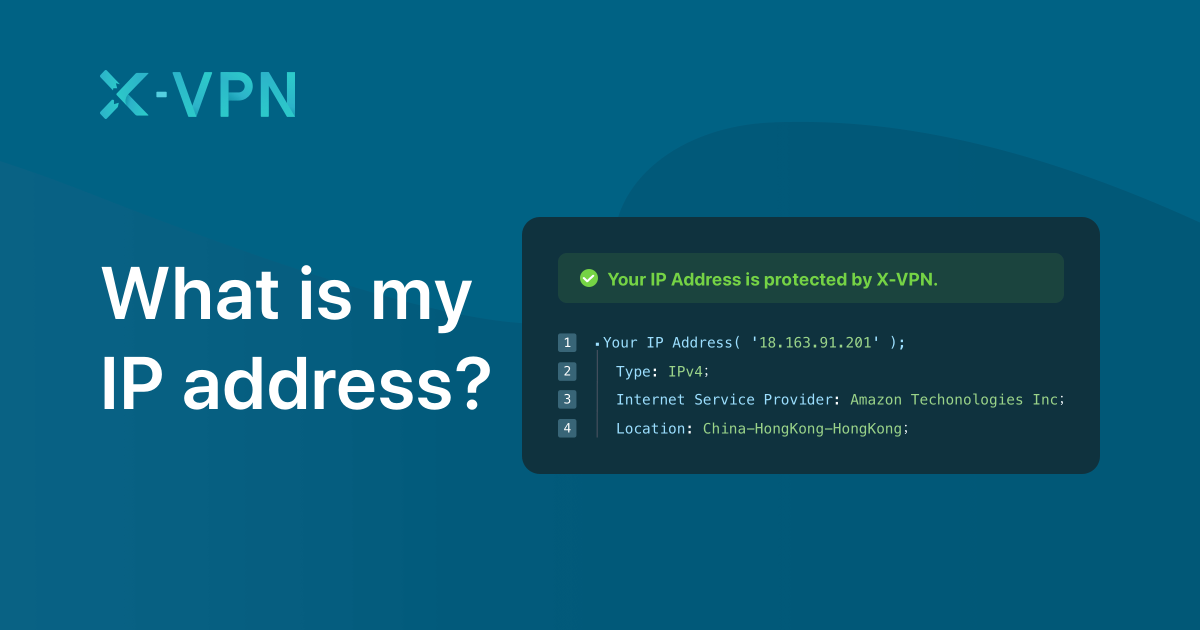
Your public IP address is the address websites and online services can normally see when you connect to the internet. If you're using a VPN, websites will generally see the VPN server's IP instead of your normal ISP-assigned IP.
What Is My IP Address?
An IP (Internet Protocol) address is a numerical label assigned to each device connected to a computer network that uses the Internet Protocol for communication. There are two main types: your public IP address, which is exposed to the wider internet, and your local/private IP address, which is used internally within your home or office network. IP addresses come in two formats: IPv4, which consists of four sets of numbers (e.g., 203.0.113.10), and IPv6, which is a longer alphanumeric string designed to accommodate the growing number of internet-connected devices. Websites can see your public IP address because your device must provide it to the server to receive the requested web page.
What Is My IP Address When Using a VPN?
Without a VPN, your internet service provider (ISP) assigns your connection a public IP address, which is normally visible to the websites you visit. When you connect to a VPN, your traffic is routed through a VPN server. As a result, websites generally see the public IP address of the VPN server rather than your actual ISP-assigned IP. It is important to note that your ISP-assigned IP does not necessarily change just because you connect to a VPN; the VPN changes the public IP that websites generally see. Disconnecting the VPN will typically expose your normal public IP address to websites again.
Check My IP Address
Want to know your current public IP address? Use a trusted IP-checking service to instantly see your public IP, approximate location, ISP, and other network information.
To check your current public IP address, use an online IP-checking service such as WhatIsMyIPAddress.com. The result can show your public IP address and additional information such as your approximate location, ISP, and network details.
If you're testing a VPN, check your IP before connecting, connect to the VPN, and then check again. If the visible IP changes to the VPN server's address, websites will generally see the VPN IP instead of your normal ISP-assigned public IP.
What Is My Public IP Address?
Your public IP address is the primary identifier your network uses to communicate with the broader internet. It is assigned by your ISP and is normally visible to websites and online services you connect to. This is the IP address that is logged in server access files and used for IP geolocation.
What Is My Local IP Address?
Your local IP address (or private IP address) is assigned to your individual device by your local router. It is only used for communication within your private local area network (LAN) and is not directly visible to websites on the internet. Common private IP address ranges include:
- 192.168.x.x (Most common for home routers)
- 10.x.x.x (Often used in larger corporate networks)
- 172.16.x.x through 172.31.x.x (Less common, used for medium-sized networks)
A local IP (e.g., 192.168.1.20) is not the same thing as the public IP shown to websites.
How to Find Your IP Address Without a Website
If you prefer not to use a web-based tool, you can find your IP address directly through your device's operating system or router settings. Keep in mind that these methods usually show your local IP. To find your public IP without a website, you typically need to log into your router's admin panel.
Windows: Open the Command Prompt and type ipconfig. Look for "IPv4 Address" under your active network adapter to find your local IP.
macOS: Open System Settings, click Network, select your active connection (Wi-Fi or Ethernet), and click Details. Your local IP will be listed next to "IPv4 Address." Alternatively, open Terminal and type ifconfig.
Android: Go to Settings > Network & Internet > Wi-Fi. Tap the gear icon or the "i" icon next to your connected network. Your local IP address will be listed under the network details.
iPhone: Go to Settings > Wi-Fi. Tap the "i" icon next to your connected network. Scroll down to find your local IP address in the DHCP section.
Router: To find your public IP without a browser, log into your router's administrative interface (usually accessed via a local IP like 192.168.1.1). The public IP assigned by your ISP is typically displayed on the main status or WAN page.
What Is My IP Address on My Phone?
Your phone's public IP address depends entirely on the network it is currently connected to. If you are connected to your home Wi-Fi, your phone shares the same public IP address as your home network. If you switch to a mobile data connection (4G/5G), your cellular provider assigns a different public IP address to your phone. This is why your apparent location or IP can change when you move between Wi-Fi and mobile data.
What Is My IP Address on Android?
On an Android device, your public IP is determined by your current network (Wi-Fi or mobile data) and is visible to the websites you visit in Chrome or other browsers. To find your local Wi-Fi IP on Android, you typically go to Settings > Network & Internet > Wi-Fi, tap your connected network, and look for the "IP address" field.
What Is My IP Address on iPhone?
Similarly, an iPhone's public IP when browsing is dictated by the Wi-Fi network or cellular carrier you are using. To find your local Wi-Fi IP on an iPhone, you can go to Settings > Wi-Fi, tap the "i" icon next to your connected network, and scroll down to the "IP Address" field under the DHCP section.
What IP Address Does a VPN Give Me?
A VPN generally routes your internet traffic through a remote server operated by the VPN provider. Because your data exits the VPN network through that server, websites and online services generally see the public IP address belonging to the VPN server, not the public IP assigned to your device by your ISP.
Does a VPN Change My IP Address?
Yes, from the perspective of most websites and online services, connecting to a VPN normally changes the public IP address they see.
- Original ISP IP: The IP assigned by your internet provider.
- VPN Server IP: The IP address of the server you connect to, which websites see instead.
- Disconnecting the VPN: Your traffic will usually revert to using your original ISP IP.
- Switching VPN servers: This will change the IP address websites see to match the new server's location.
- Shared VPN IPs: Many VPN users share the same server IP address, which makes it harder to trace activity back to a single individual.
How to Check If a VPN Is Working
Checking if your VPN is functioning properly involves a few straightforward steps:
- Check your IP before connecting: Note your current public IP address and detected location using an IP checking tool.
- Connect to your VPN: Choose a server in a specific country or city.
- Check your IP again: Refresh the IP checking page.
- Compare the addresses: The displayed IP and location should match the VPN server you selected, not your actual physical location.
How to Check for VPN IP, DNS and WebRTC Leaks
Even if your IP address changes when you connect to a VPN, other types of leaks can expose your real IP or browsing activity.
- IP Leak: This occurs if your real ISP-assigned IP is exposed despite the VPN being active.
- DNS Leak: This happens if your device bypasses the VPN tunnel to resolve domain names (like google.com into an IP address) using your ISP's DNS servers. This allows your ISP to see which websites you are visiting, even if they can't see the exact data you are sending.
- WebRTC Leak: WebRTC is a feature built into most modern browsers for voice and video chat. It can sometimes bypass VPN configurations and reveal your real local or public IP address.
- IPv6 Leak: If your VPN only handles IPv4 traffic and your ISP assigns you an IPv6 address, your real IPv6 address might be exposed to websites.
What to do if your real IP appears: If a leak test reveals your actual IP address, disconnect from the VPN immediately. Ensure the VPN app has built-in leak protection (like a kill switch, DNS leak protection, and WebRTC blocking) enabled. You may also need to disable IPv6 in your device's network settings if your VPN does not support it. Understanding what cybersecurity is includes knowing how to verify that your privacy tools are actually functioning as intended.
Why Does My IP Address Change?
Your public IP address might change for several reasons:
- VPN connection: Routing traffic through a different server.
- Router restart: If your ISP uses dynamic IP assignment, rebooting your router often results in a new public IP.
- ISP reassignment: Most residential ISPs use dynamic IP addresses, meaning they can change periodically.
- Switching networks: Moving from home Wi-Fi to a mobile network or a public hotspot.
- Mobile data: Cellular networks frequently rotate IP addresses between cell towers or sessions.
Can Someone Find My Location From My IP Address?
IP geolocation can usually provide an approximate location, but it is not equivalent to knowing someone's exact physical address. By looking up an IP address, a service can typically detect:
- Country: Usually highly accurate.
- Region/State: Often accurate.
- Approximate City: Sometimes accurate, but usually only pinpoints the nearest major city or ISP hub.
- ISP/Network: Usually detectable.
- VPN/Proxy Detection: Often detectable based on known VPN IP ranges.
An IP address alone cannot reveal your exact home address or your name.
What Information Does My IP Address Reveal?
| Information | Usually detectable? |
|---|---|
| Public IP | Yes |
| Approximate country | Usually |
| Approximate region | Often |
| Approximate city | Sometimes |
| ISP/network | Usually |
| Exact home address | No, not from IP alone |
| Your name | No, not from IP alone |
IPv4 vs IPv6
- IPv4 Format: Uses a 32-bit address space (e.g., 203.0.113.10). It is the older standard and is running out of available addresses.
- IPv6 Format: Uses a 128-bit address space (e.g., 2001:0db8:85a3:0000:0000:8a2e:0370:7334). It was created to solve the IPv4 exhaustion problem.
- Why IPv6 exists: To accommodate the massive growth of internet-connected devices globally.
- Why some users have both: Many networks support both, allowing devices to use IPv6 locally while still communicating with older IPv4 servers.
- What websites may see: Depending on your network configuration, a website might see your IPv4 address, your IPv6 address, or both.
Public IP vs Local IP
| Feature | Public IP | Local IP |
|---|---|---|
| Visible to websites | Generally yes | Generally no |
| Assigned by | ISP/network provider | Router/local network |
| Used on Internet | Yes | No, normally |
| Example | 203.0.113.10 | 192.168.1.20 |
Does Incognito Hide My IP Address?
No. Incognito or private browsing does not normally hide your public IP address.
Incognito mode mainly provides local browsing privacy by preventing your browser from saving your history, cookies, and site data on your device. However, it does not change how your traffic is routed to the internet. To change the IP address websites see, you need a tool that alters your network connection, such as a VPN or the Tor network. Reviewing a Tor vs. VPN safety and privacy comparison for 2026 can help clarify the differences.
VPN vs Proxy vs Tor
| Tool | Masks public IP from websites? | Main purpose |
|---|---|---|
| VPN | Yes | Privacy/security |
| Proxy | Usually | Traffic routing |
| Tor | Yes | Anonymity/privacy |
While a proxy can mask your IP, it often does not encrypt your traffic like a VPN. Tor routes your traffic through multiple volunteer nodes to provide strong anonymity, though this significantly reduces browsing speed.
Frequently Asked Questions
What is my IP address? Your IP address is a unique numerical label assigned to your device by your internet service provider (public IP) or local router (local IP) to facilitate communication over a network.
What is my IP address with a VPN? When using a VPN, websites generally see the public IP address of the VPN server you are connected to, rather than your actual ISP-assigned public IP address.
Does a VPN change my IP address? Yes, from the perspective of the websites you visit, a VPN changes your visible IP address to that of the VPN server you have selected.
What is my public IP address? Your public IP address is the identifier your network uses to communicate with the broader internet, and it is the IP address normally visible to the websites and services you access.
What is my local IP address? Your local IP address is an internal identifier assigned by your router to devices on your private home or office network (such as 192.168.1.20), which is not visible to the internet.
What is my IP address on my phone? Your phone's public IP address depends on whether you are connected to Wi-Fi (sharing the network's public IP) or using mobile data (using an IP assigned by your cellular provider).
What is my IP address on Android? On Android, your public IP is determined by your current network connection. You can find your local Wi-Fi IP by going to Settings > Wi-Fi > tapping your connected network.
What is my IP address on iPhone? On an iPhone, your public IP is dictated by your Wi-Fi or cellular network. You can find your local Wi-Fi IP in Settings > Wi-Fi by tapping the "i" icon next to your connected network.
Does a VPN hide my IP address? Yes, a VPN hides your actual public IP address from websites by routing your connection through a remote server, making the server's IP address visible instead.
Does incognito hide my IP address? No, incognito mode only prevents your browser from saving local data like history and cookies; it does not hide or change your public IP address.
Can someone find my location from my IP address? Someone can use your IP address to find your approximate location, such as your country, region, or nearest city, but they cannot determine your exact physical address from the IP alone.
Why does my IP address keep changing? Your IP address might change because your ISP uses dynamic IP assignment, you restarted your router, you switched between Wi-Fi and mobile data, or you connected to a VPN.
What is the difference between IPv4 and IPv6? IPv4 is an older format using shorter number sequences (e.g., 203.0.113.10), while IPv6 is a newer format using longer alphanumeric strings designed to accommodate the massive number of modern internet devices.
How do I check whether my VPN is working? Note your IP address before connecting to the VPN, connect to a server, check your IP address again using an IP checking tool, and verify that the IP and location now match the VPN